

Event Scheduling: Complete Guide
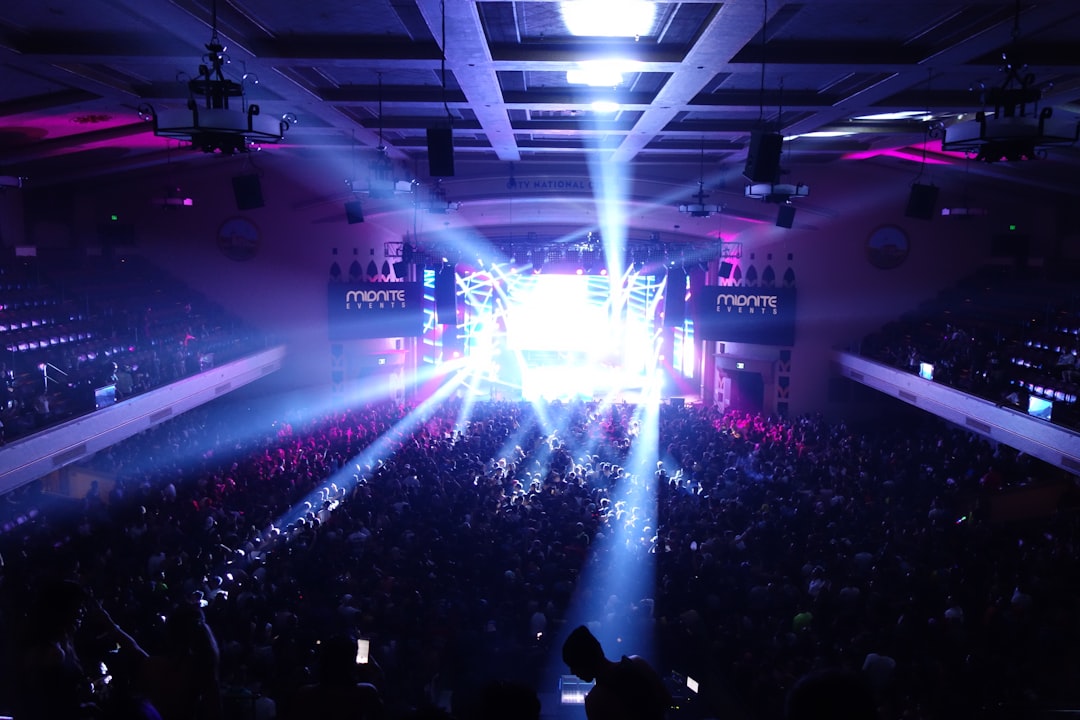
In brief: Events is an extreme scheduling sector: zero employees active on Monday, 200 casual workers in the field on Saturday. Each event is a unique project with its phases (setup, event, breakdown), its roles (production manager, technician, hostess, waiter, security officer) and its own venue. This guide covers the fundamentals of event scheduling: phase structure, role assignment, casual worker pool management and Joint Committee 304 compliance. Shyfter centralises your event scheduling in a single tool designed for sector flexibility.
Event scheduling: an unmatched planning challenge
No other sector experiences headcount swings as violent as events. A caterer can go from 5 permanent staff on Tuesday to 180 people mobilised on Saturday for a 500-guest gala. An event agency can follow a Monday seminar for 30 people with a three-day festival mobilising 400 technicians and hosts the following weekend.
Traditional scheduling, with fixed hours and stable teams, does not work here. Each event is a distinct project with its own staffing needs, its own venue and its own time constraints. The schedule must be rebuilt each time, often on very short notice.
This reality demands a suitable tool and method. A shared Excel file between three people is no longer sufficient when you need to mobilise 150 casual workers in 48 hours, generate the corresponding Dimona (Belgian employee registration) declarations and ensure that everyone knows their role, venue and schedule.
The three phases of an event: setup, event, breakdown
Phase 1: setup
Setup is the phase invisible to the client, but decisive for the event's success. It sometimes begins 48 to 72 hours before the day itself for large events (festivals, trade shows) or a few hours before for more modest corporate events.
Setup teams are mainly technical: stage installers, sound and lighting technicians, decorators, logistics staff. Their schedule is often offset from standard hours. A festival setup starts at 6am and ends at midnight. The profiles mobilised are not the same as those for the event itself.
The setup schedule must include:
- Time slots per technical team (structure, sound, lighting, decoration)
- Order of intervention (sound cannot be installed before the stage)
- Break times and rotations for long setups
- A buffer to absorb delays (deliveries, weather, technical issues)
Phase 2: the event
The day itself mobilises the largest headcount. Profiles change: reception hostesses, waiters, security officers, runners, coordinators, production managers. Each role has its own schedule. Hostesses start an hour before doors open. Waiters arrive for the caterer's briefing. Security officers are in place from the time barriers go up.
The challenge is simultaneity. While 20 waiters handle the cocktail, 5 technicians manage sound and lighting, 8 security officers monitor access points and 3 coordinators oversee everything. The schedule must give each person clear information: where to be, at what time, to do what.
Phase 3: breakdown
Breakdown is often the neglected phase of scheduling. After an event that ends at midnight, breakdown begins immediately. Teams are tired, deadlines are tight (the venue must be vacated by morning) and accident risks increase.
A good breakdown schedule provides fresh teams, separate from those who worked during the event. It incorporates mandatory rest times and enhanced safety instructions for night work.
Key roles and their scheduling
Production manager and coordinator
The production manager is the event's conductor. They are present across all three phases: setup, event, breakdown. Their schedule is the longest, often 12 to 16 hours on the day itself. Plan a pair for events longer than 8 hours to guarantee continuous supervision without exhaustion.
Sound and lighting technicians
Technicians mainly work during setup and the event. Their schedule depends directly on the technical rider (the artist's or client's requirements). For a concert, allow 4 to 8 hours of technical setup, 2 to 4 hours of sound check, then the show duration, plus 2 to 3 hours of breakdown.
Reception hostesses and service staff
Hostesses and waiters make up the bulk of the headcount on the day. Their shift is concentrated around the event duration, with a margin before (briefing, set-up) and after (clearing). For a 4-hour gala, plan shifts of 6 to 7 hours in total.
Security officers
Security scheduling follows specific rules: ratio per number of attendees, compulsory certification, post rotation. Security officers are often the first to arrive and the last to leave.
Runners and logistics
Runners are the event's Swiss Army knives. They link teams, handle unexpected situations and fill gaps. Their schedule is by definition flexible, but they must be present from start to finish.
Building a reliable casual worker pool
Why the pool is your most valuable asset
In events, your delivery capacity depends directly on the size and reliability of your casual worker pool. A caterer with 300 qualified casual workers in their database can confidently accept a 200-person event. One with 50 must refuse or take risks.
The pool is not just a list of names. It is a living database with each person's skills (service, bar, kitchen, reception, technical), their up-to-date availability, their assignment history and their reliability. Managing this pool effectively is a major competitive advantage.
Collecting and updating availability
The main problem with casual worker pools is data becoming out of date. A casual worker available in March may not be available in June. A student worker free at weekends during the year is on holiday in July. Without regular updates, you call 30 people to find 10 available.
With Shyfter, each casual worker updates their availability from the app. When you plan an event, you instantly see who is available, with what skills, and can send assignments in a few clicks.
Mobilising quickly for an event
Mobilisation speed makes the difference. A client confirms a 150-cover event for Saturday. You have three days to assemble the team. With a well-structured pool and a suitable scheduling tool, you filter by skill and availability, send shift proposals, receive confirmations and generate Dimona declarations automatically.
Managing student workers in events
Student workers make up a significant share of event headcount, particularly for reception, service and runner roles. Managing them involves specific requirements:
- Tracking the 475-hour allowance at reduced contributions per student worker
- Compulsory Dimona declaration for each assignment
- Variable availability around exam periods (January, June)
- High demand in summer (festivals) when many students are available
The schedule must incorporate automated hour counter tracking. A student worker who exceeds 475 hours mid-festival season costs significantly more. Shyfter automatically alerts when a threshold approaches.
Compliance in events: Joint Committee 304 and Joint Committee 302
When does Joint Committee 304 apply?
Joint Committee 304 covers the entertainment and events sector. It applies to companies whose main activity is organising events, shows and artistic and technical performances. Joint Committee 304 rules are specific: its own pay scales, working conditions adapted to the sector's intermittent nature, premium regime for night and weekend work.
When does Joint Committee 302 apply?
When an event includes catering (food and beverage service), service staff may fall under Joint Committee 302 (hospitality). This applies to caterers organising receptions, catering companies for festivals and banqueting companies. Rules differ: Joint Committee 302 pay scales, hospitality working conditions, flexi-jobs possible.
Dimona declarations: a considerable volume
Every casual worker, every student worker, every temporary contractor must have a Dimona declaration before their shift starts. For a 150-person event, this represents potentially 100 to 120 declarations. Manually, it is unmanageable. Automating these declarations via Shyfter transforms hours of data entry into a few minutes.
Multi-site scheduling: a different venue every time
Every event has its address
Unlike a restaurant or shop, events have no fixed location. A caterer works at a château one Saturday, the Brussels Town Hall the next Sunday and a converted warehouse in Antwerp the following weekend. The schedule must clearly indicate the location of each assignment.
Logistics and travel time
Travel time directly impacts scheduling. A casual worker from Liège who needs to be in Knokke at 7am cannot follow up with an event in Mons the next morning. The schedule must account for the location of casual workers relative to the event venue.
Shyfter's geolocated time tracking verifies that each person is present at the correct site at the correct time. No more uncertainty about actual arrival times.
The weather factor in event scheduling
Outdoor events (festivals, garden parties, inaugurations) are subject to weather uncertainty. A storm can cancel an event or, conversely, require additional staff to secure installations.
The schedule must include:
- An indoor plan B where possible, with corresponding staffing adjustments
- Reserve teams that can be mobilised in the event of postponement or last-minute changes
- A clear cancellation protocol with automatic notification of all assigned staff
- Tracking of guaranteed hours (a casual worker called in and then sent home due to rain may be entitled to a minimum number of hours)
Festival season: the absolute peak
From June to August, events run at full capacity. Festivals and concerts follow in quick succession, demand for staff explodes. This is the period when pool management becomes critical: all your casual workers are being solicited by multiple employers simultaneously.
To survive the season:
- Start recruiting casual workers as early as March–April
- Lock in your best profiles' availability as early as possible
- Allow for a 10 to 15% drop-out rate and oversize your teams accordingly
- Automate everything possible (Dimona, contracts, notifications) to free up operational time
Moving from Excel to an event scheduling tool
The limits of Excel for events
Excel works as long as you manage 2 events per month with 20 people. Beyond that, the limits appear: no real-time updates, no casual worker notifications, no link to Dimona declarations, no per-event hour tracking, no real-time visibility over staff costs.
What a dedicated tool changes
An event scheduling software like Shyfter transforms your management:
- Casual worker pool with skills, availability and assignment history
- Per-event schedule with phases (setup, event, breakdown)
- Assignment by role and by time slot
- Automatic Dimona declarations upon schedule confirmation
- Geolocated mobile time tracking at each site
- Per-event hour and cost tracking for profitability calculation
- Push notifications for each assignment, modification or cancellation
- Export to the social secretariat for payroll
Return on investment
An event coordinator spends an average of 8 to 12 hours per week on staff administrative management: calls, texts, Excel spreadsheets, manual declarations. With a suitable tool, this drops to 2–3 hours. For an agency managing 10 events per month, that is the equivalent of a half-time role recovered.
FAQ
How far in advance should event staff be scheduled?
For large events (festivals, galas over 200 people), start scheduling 3 to 4 weeks in advance. For medium-sized corporate events (50 to 100 people), 10 to 14 days are sufficient if your casual worker pool is well structured. In all cases, Dimona declarations must be filed before the shift starts. The more efficient your management tool, the shorter the lead time without compromising quality.
How do you manage a last-minute cancellation before an event?
The key is the depth of your pool. Maintain a ratio of 1.5 to 2 available casual workers for each role to be filled. With Shyfter, you instantly filter casual workers available with the right skills and send a shift proposal in seconds. The first to confirm gets the role. This speed of response is impossible with cascade phone calls.
Is it possible to track hours worked per event to calculate profitability?
Yes, and it is essential for financial management. Shyfter links each clock-in to a specific event. You get the total hours worked, the actual staff cost (including premiums and contributions) and a comparison with the planned budget. This data allows you to refine quotes for subsequent events and identify roles where you consistently exceed projections.
Other events industry guides
- Events (hub)
- Managing casual workers in events
- Joint Committee 304/302: obligations in events
- Dimona (Belgian employee registration) in events
- On-site time tracking for events
- Festival and concert scheduling
- Corporate event scheduling
- Setup and breakdown scheduling
- Student workers in events
- Staff cost per event
- Event security scheduling
- Event scheduling software
