

Staff scheduling that fills itself in, simple, fast, and no Excel required
Create, edit, and manage your schedules in real time from any device for a smooth, clear, and error-free organization.
Request a demo3,500+ companies and 400,000+ employees already use Shyfter















The benefits of clear and organized scheduling
A scheduling tool designed to save time, reduce errors, and provide a clear view of your teams on the ground.
Real-time scheduling
View and edit schedules instantly, avoiding last-minute errors.
Mobile access for everyone
Your teams can access their schedules wherever they are, via their smartphone.
Built-in cost analysis
Visualize your staff costs and optimize your payroll.
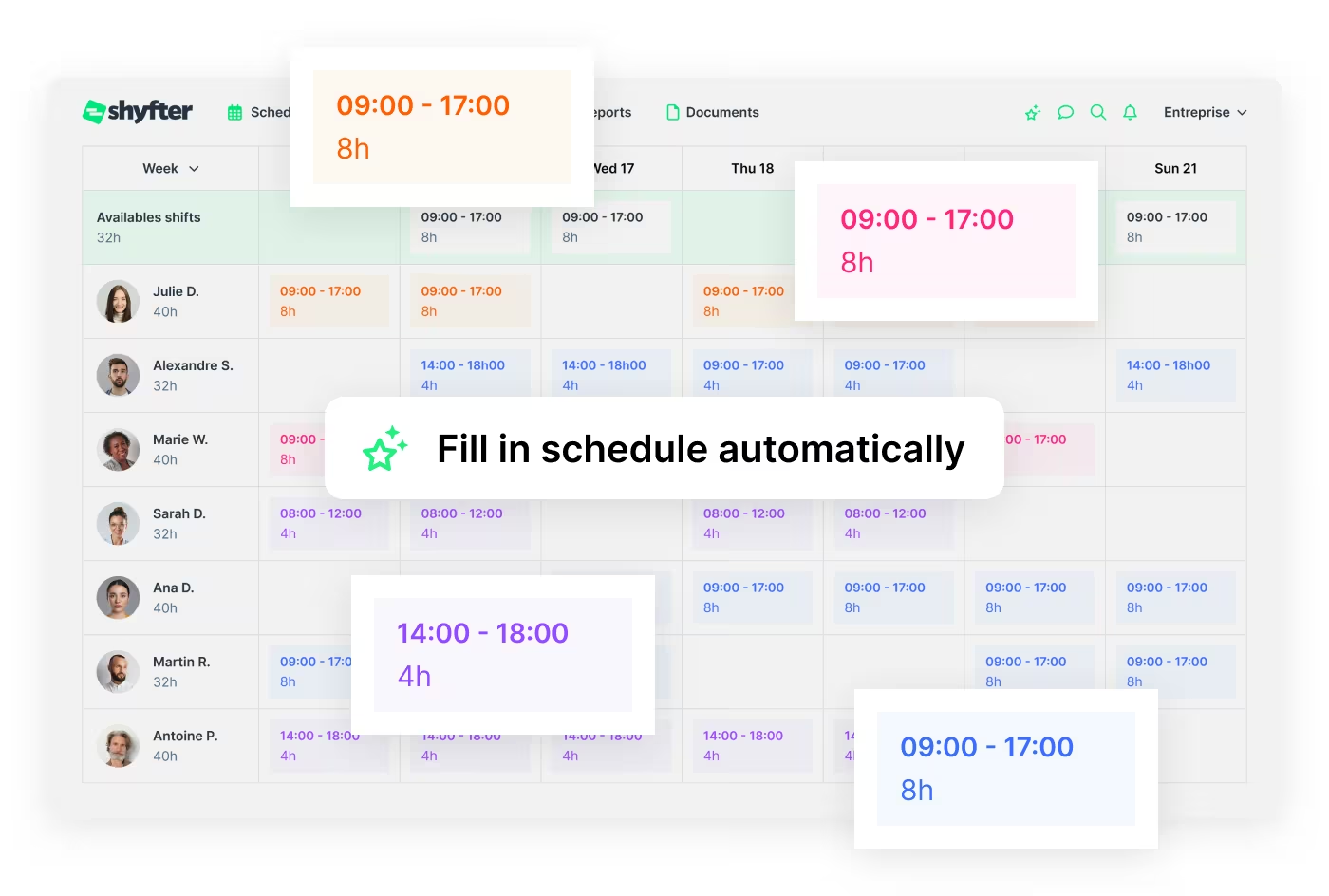
An AI-generated schedule
Our AI analyzes your data to build an optimized schedule in seconds: historical data, availability, constraints, and demand forecasts.
 A schedule built from your data
- Takes into account availability, demand, and legal constraints
- Less time spent scheduling, more peace of mind
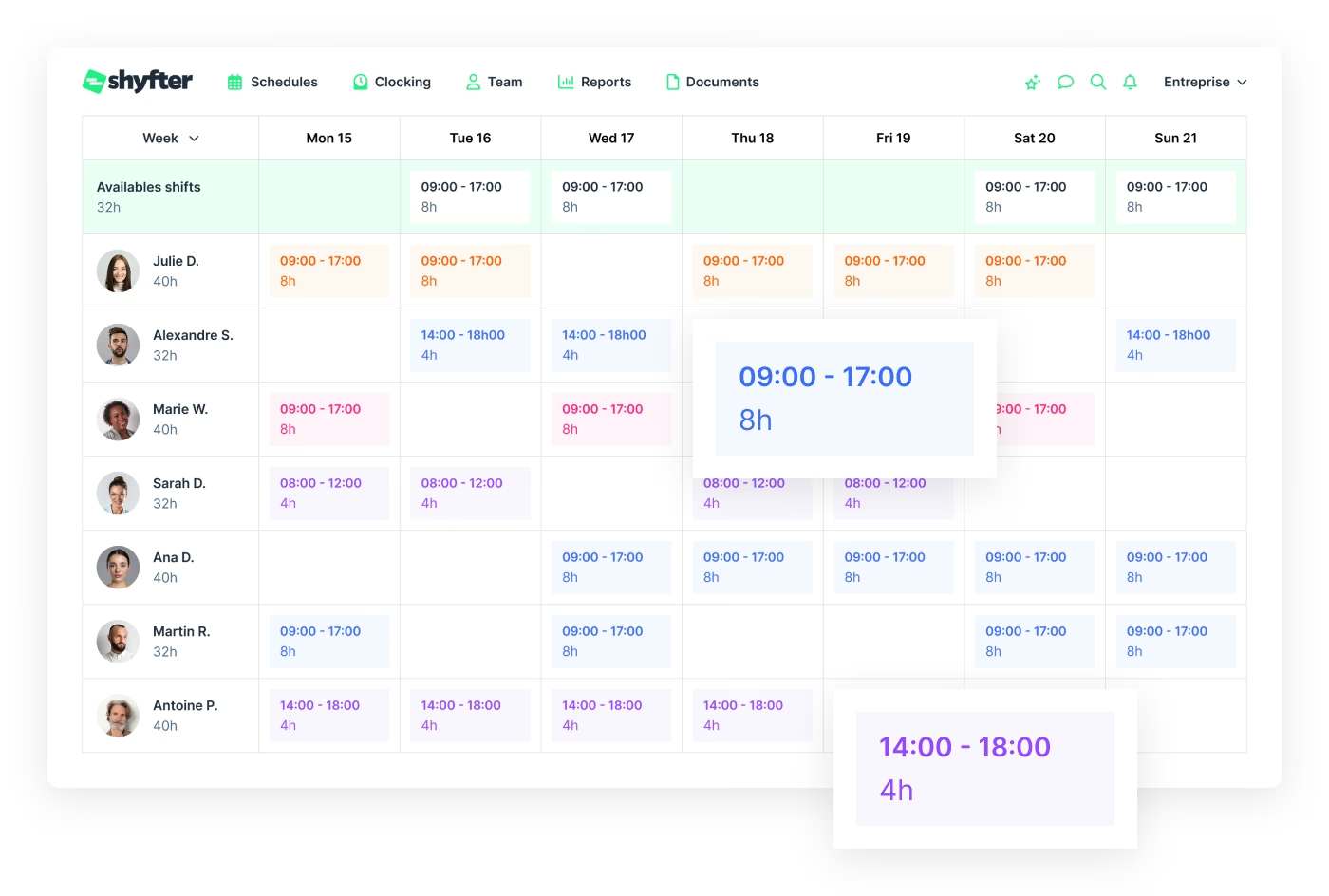
Scheduling designed for real-world conditions
Create clear and reliable schedules, even in the most demanding environments.
- Absence and unavailability management
- Flexible daily, weekly, and monthly views
- Schedule conflict detection
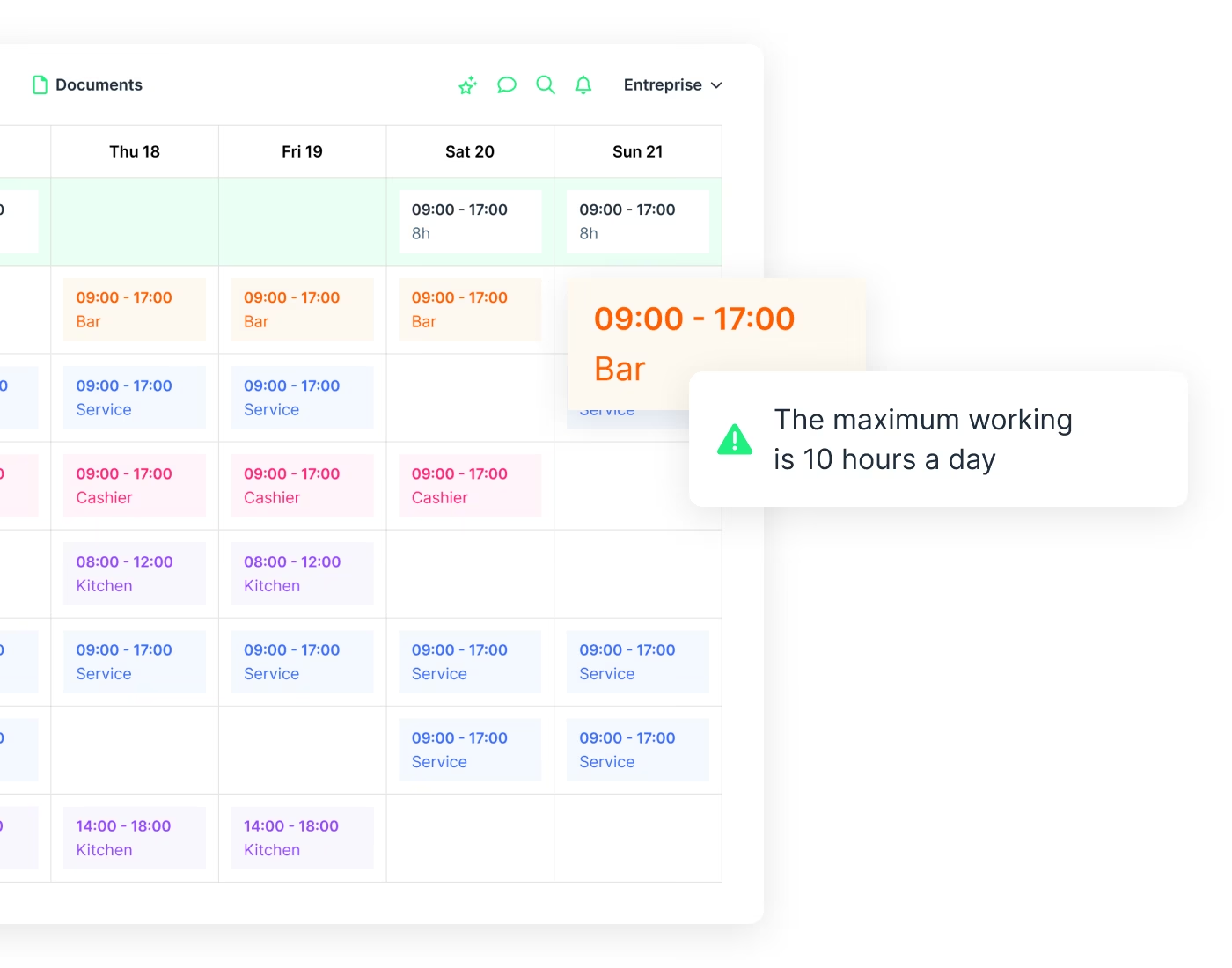
Scheduling that complies with current regulations
Shyfter automatically checks compliance with collective agreements and joint committees within the schedule.
- Alerts for legal compliance violations
- Country-specific rules taken into account
- Fewer legal risks and more peace of mind every day
Shyftie: more than a tool, an AI assistant that anticipates your needs
An app designed for teams
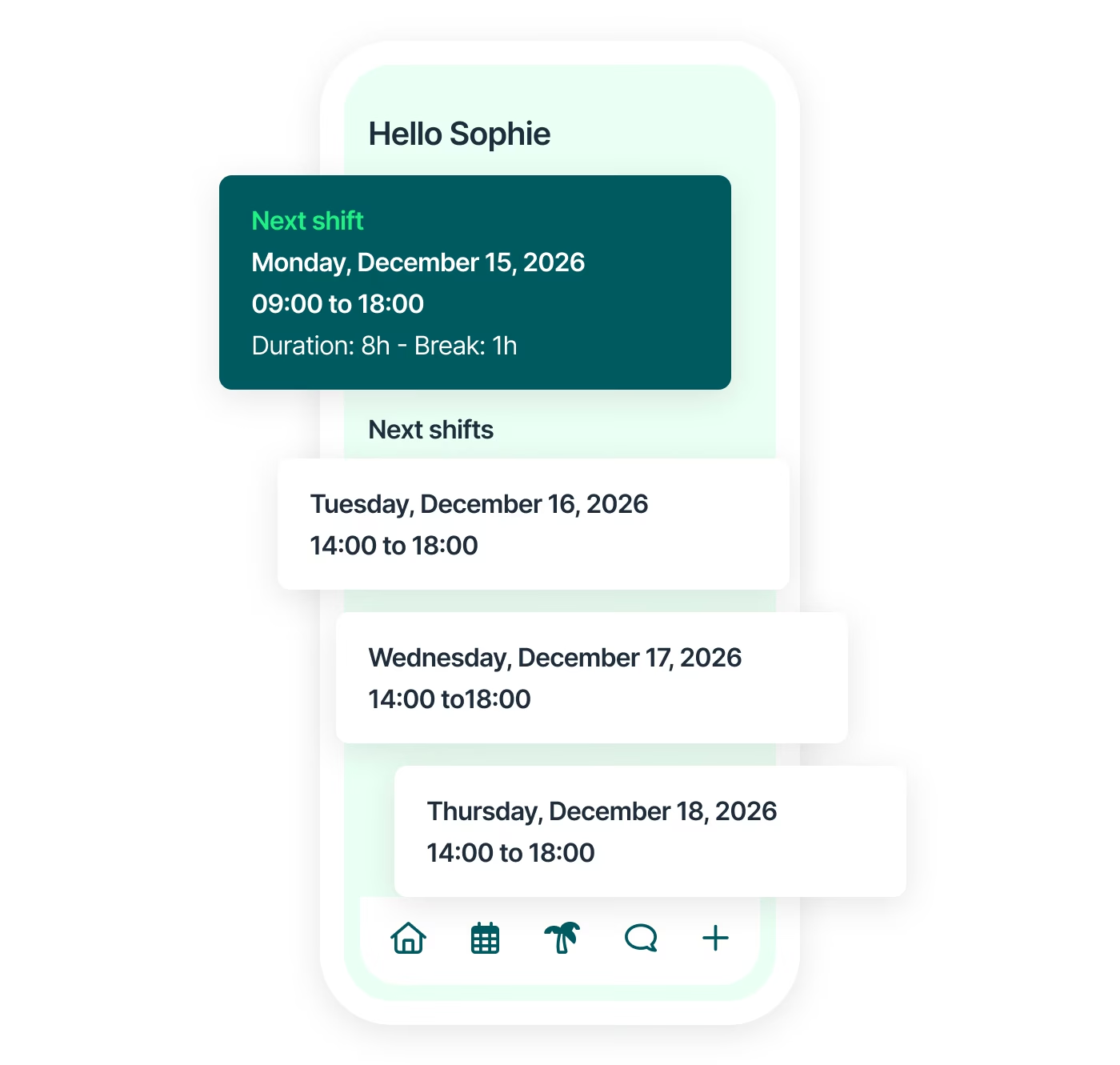
With the Shyfter mobile app, every employee keeps a clear view of their schedule, even with last-minute changes.
- Schedules accessible on mobile
- Real-time communication with teams
- Notifications sent when schedules change
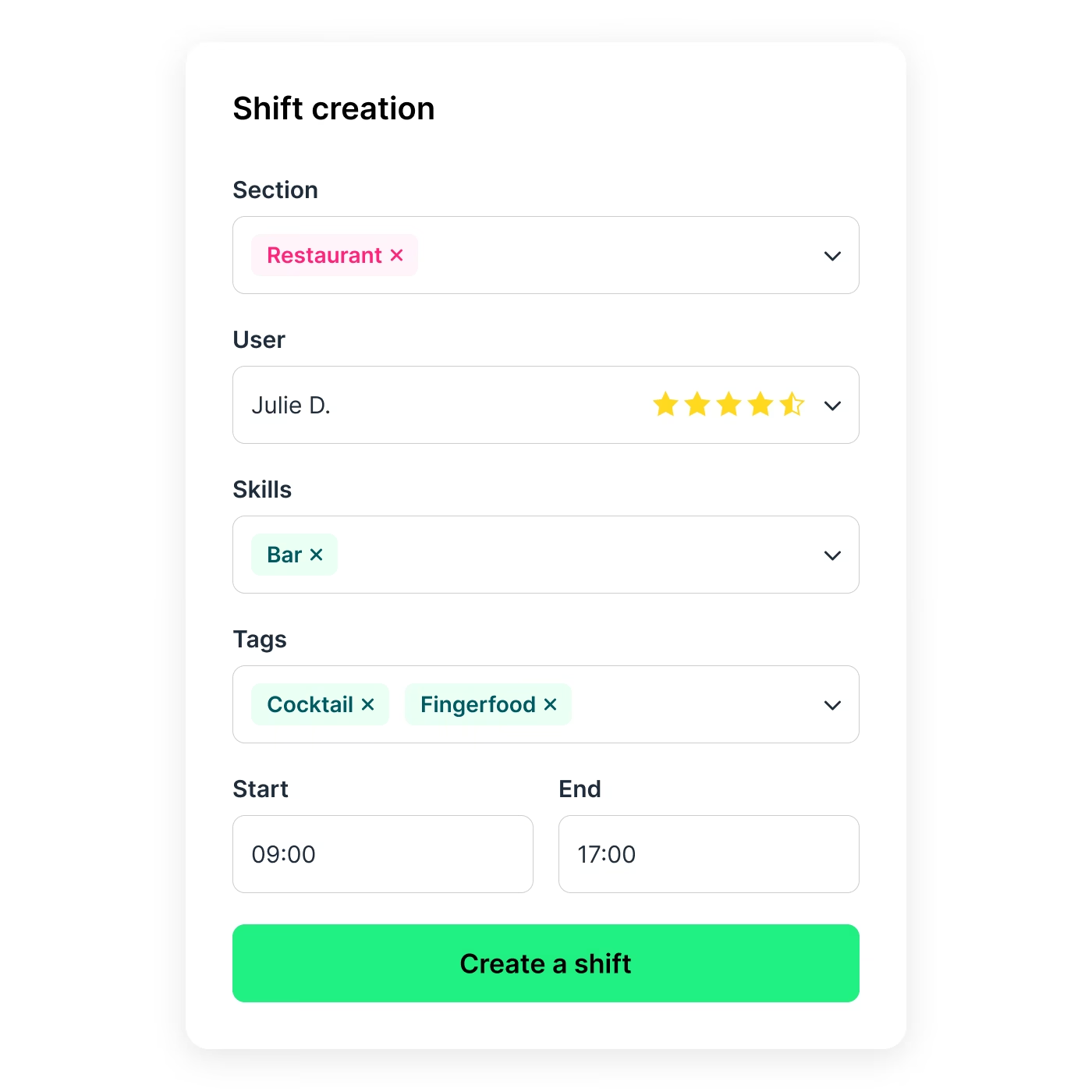
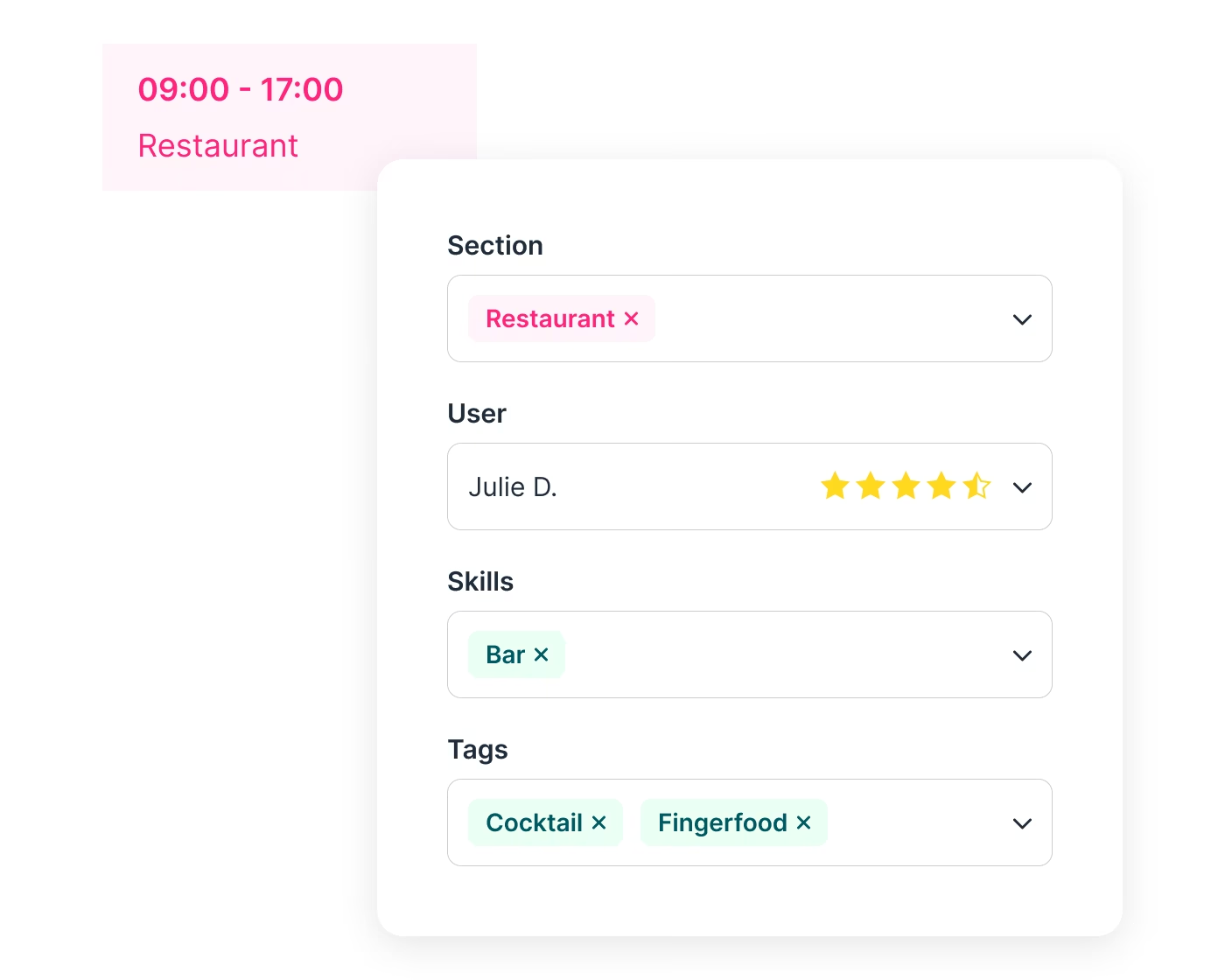
Clear access to all your shift information
Keep track of essential shift details for your teams directly in the schedule.
- Clear sections
- Skills linked to the shift
- Tags for added context
Discover our interactive demo for schedule management
Related features
- Shyfter AI: Smart Scheduling AssistantOptimize your schedules with Shyfter AI.
- Work Hour Tracking SoftwareTrack worked hours on mobile, tablet, or via QR code.
- Leave & Absence Management SoftwareSimplify leave requests, absence tracking, and balance management.
- Employee AppShyfter Staff: the mobile app to check schedules, clock hours, manage leave, and access documents.
A solution that adapts to your industry
A workforce management solution designed to adapt to your industry's needs. Manage your teams, schedules, and legal obligations with ease.

They use Shyfter every day
Real-world examples of businesses managing their teams more easily.












Your questions, answered
Can I print or export my schedule?
Yes. With Shyfter, you can print or export your staff schedule in just a few clicks. Our scheduling software lets you export the schedule as a PDF to print or share, export working hours in a usable format (based on your internal needs), and filter by period, team, or site before exporting. This allows you to keep an official version of the schedule, send it to your accountant, or display it on-site if needed. Good to know: employees have access to their schedule online via their app, greatly reducing the need for paper printing.
Does the schedule take legal rules into account (breaks, overtime)?
Yes. Shyfter is designed to help you comply with legal rules related to working time. Our scheduling tool includes mandatory break management, overtime calculation, contractual hours tracking, and working time rules (based on your configuration and country). The system helps you avoid common scheduling errors: unauthorized overtime, non-compliance with rest periods, and errors in hours calculation. Please note: Shyfter is a compliance support tool, the final responsibility for complying with labor legislation remains with the employer.
Do employees have access to their schedule?
Yes. Each employee has personal access to their schedule online. Through their mobile app, they can check their working hours in real time, receive notifications when changes are made, and submit requests (depending on your settings: availability, leave, shift swaps, etc.). This improves internal communication and significantly reduces errors or oversights related to paper schedules.
Can I manage multiple sites or teams in a single schedule?
Yes. Shyfter is specifically designed for multi-site or multi-team businesses. You can manage multiple locations in a single account, organize your employees by site, department, or team, filter and analyze your schedule by entity, and keep a global or detailed view based on your needs. This flexibility is ideal for groups, franchises, chains, or businesses with multiple locations.
Can I edit a schedule that has already been published?
Yes. You can edit a published schedule at any time. When a change is made, the schedule is updated in real time and affected employees can be automatically notified. This flexibility is essential for dealing with unexpected events: absences, replacements, activity peaks, or last-minute changes.

Ready to transform your workforce management?
Shyfter is more than a scheduling tool. It's a complete workforce management solution designed to save you time.
Discover guides on managing schedules
- What is the deadline for communicating a work schedule?
- What are the obligations of a work schedule?
- Tips for optimizing your medical scheduling management
- The work schedule app: a powerful HR tool
- Optimize work schedule to boost employee productivity
- Shyfter's online planning software to create a shared schedule
- Last-minute schedule change: expert HR planning advice
- How to resolve scheduling conflicts between employees
- How to create a work schedule in Excel
- How to develop an effective work schedule for your employees?
- How to create an effective staff schedule?
- Employer obligations regarding staff scheduling
- 5 benefits of scheduling software over an Excel schedule
- Shift Notes: How to Write Them So the Next Shift Actually Reads Them