

Solution
Clear reports to run your business with confidence.
With Shyfter reports, track your hours worked, costs, and performance in real time, to make better decisions, faster.

3,500+ companies and 400,000+ employees already use Shyfter













The benefits of clear and actionable reporting
Visualize, analyze, and leverage your HR data without complex spreadsheets or unnecessary exports.

Instant global overview
Access your key indicators at a glance: hours worked, absences, labor costs, and team distribution.

Reliable, centralized data
Reports are based directly on the schedule, time tracking, and absences, with no re-entry or risk of error.

Decisions based on reality
Analyze actual hours worked to adjust schedules, optimize staffing, and anticipate needs.
Custom reports tailored to your needs
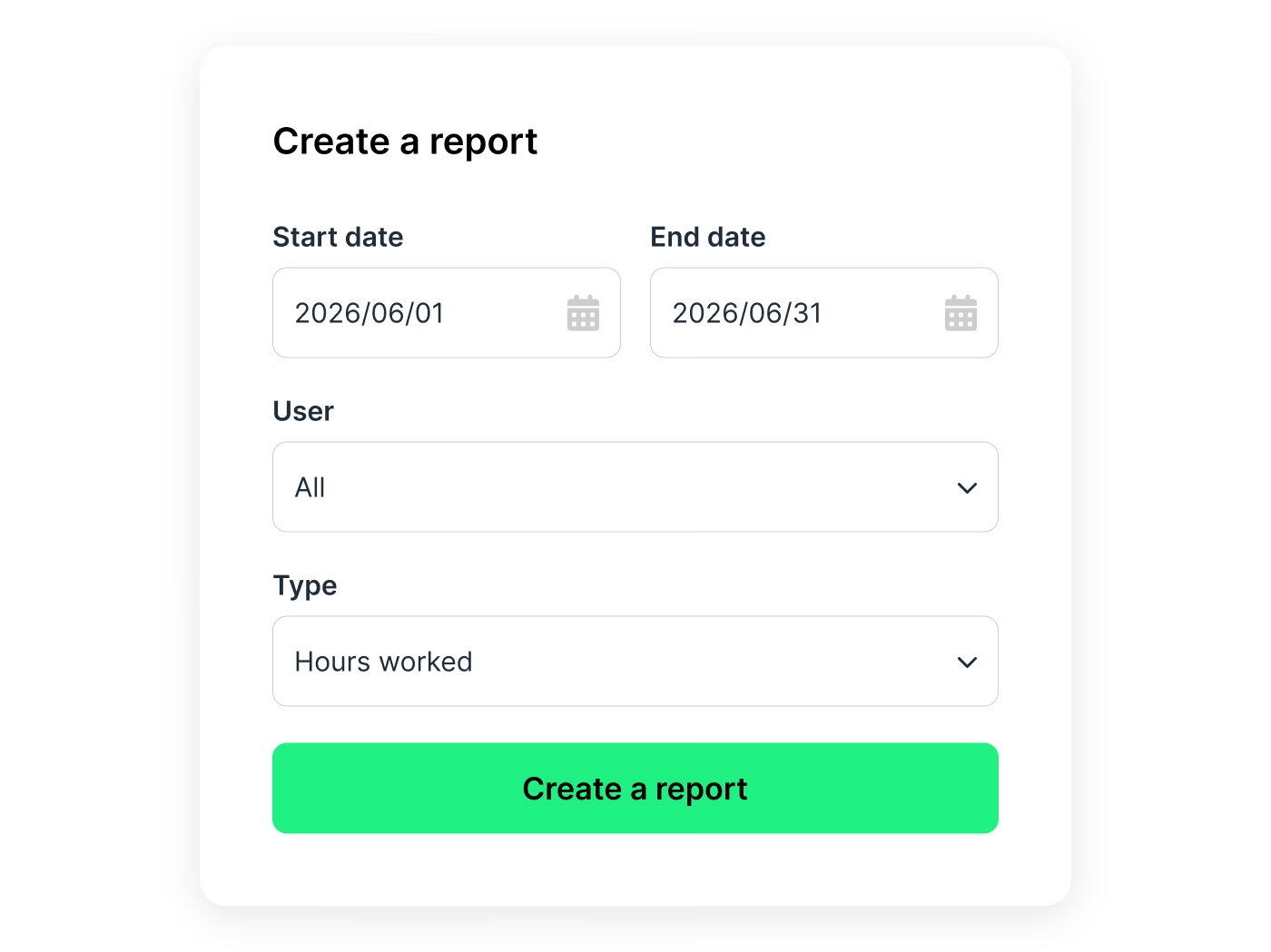
Create reports adapted to your organization, regardless of your operating model or multi-site structure.

Filters by period, team, employee, site, or entity
Reports on hours worked, variances, and absences
Simple exports in PDF or CSV for management or payroll
Clear and usable performance sheets
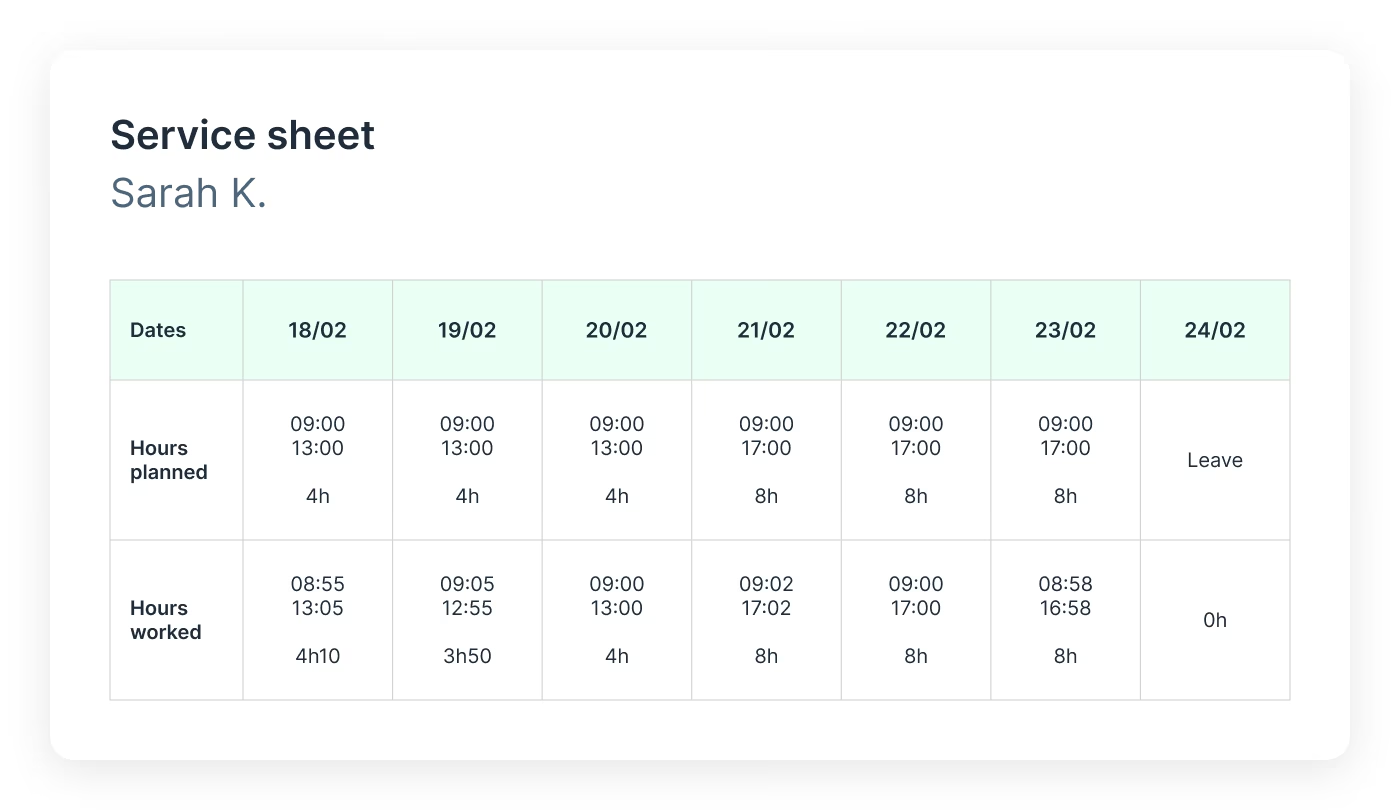
Every hour worked is automatically grouped into performance sheets ready to be analyzed or shared.
Performance sheets by employee, team, or period
Detail of planned vs. actually worked hours
Solid basis for payroll, invoicing, or operational tracking
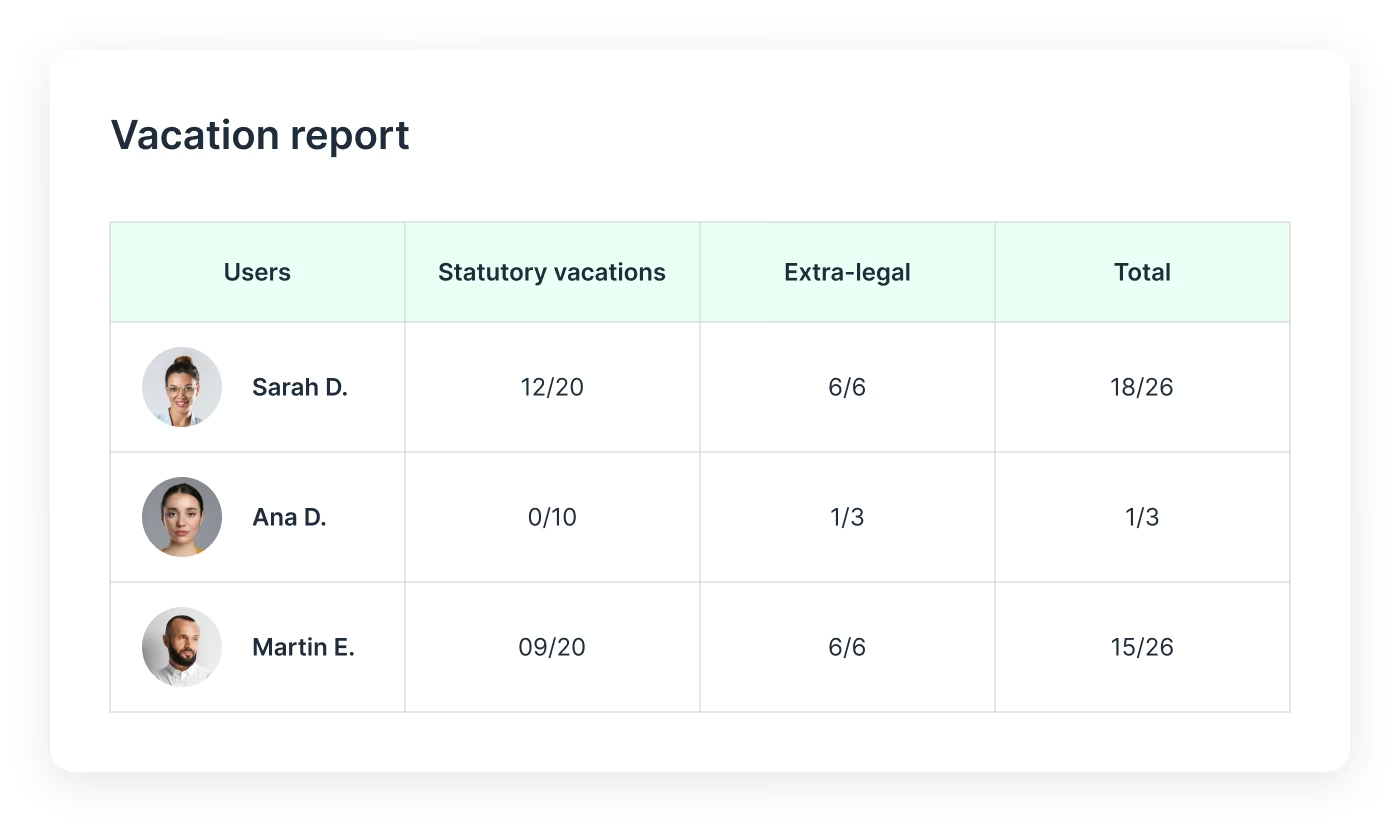
A complete view of leave, absences, and counters
Analyze the impact of absences on your organization with dedicated reports and always up-to-date counters.
Detailed reports on leave taken, upcoming, and remaining
Leave counters updated in real time
Better anticipation of absences and business continuity
The benefits of advanced reporting
Clear, automated reports to better understand, manage, and optimize your daily operations.
Reliable data, no re-entry
Reports are based directly on actual data from scheduling, time tracking, and absences for maximum reliability.

Clarity first
Indicators are clear, structured, and immediately understandable, without complex spreadsheets or unnecessary exports.
Precise management
Analyze hours worked, absences, and costs to adjust your decisions and optimize daily operations.
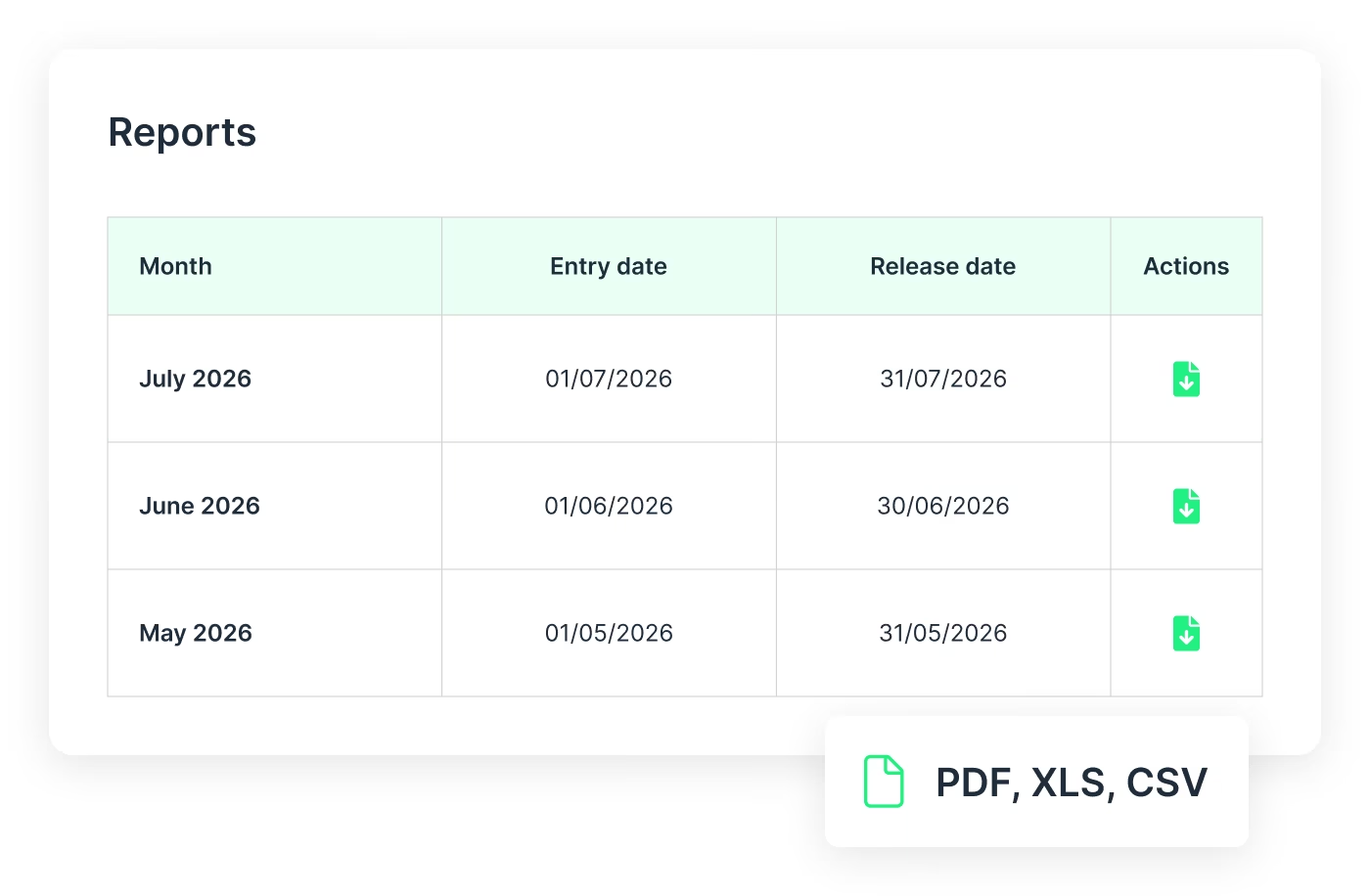
Exportable reports, ready to share
Generate and export your reports in a few clicks to easily send them to the right people.
Report exports in PDF, XLS, CSV format
Structured and usable data without manual work
Easy sharing with internal or external teams
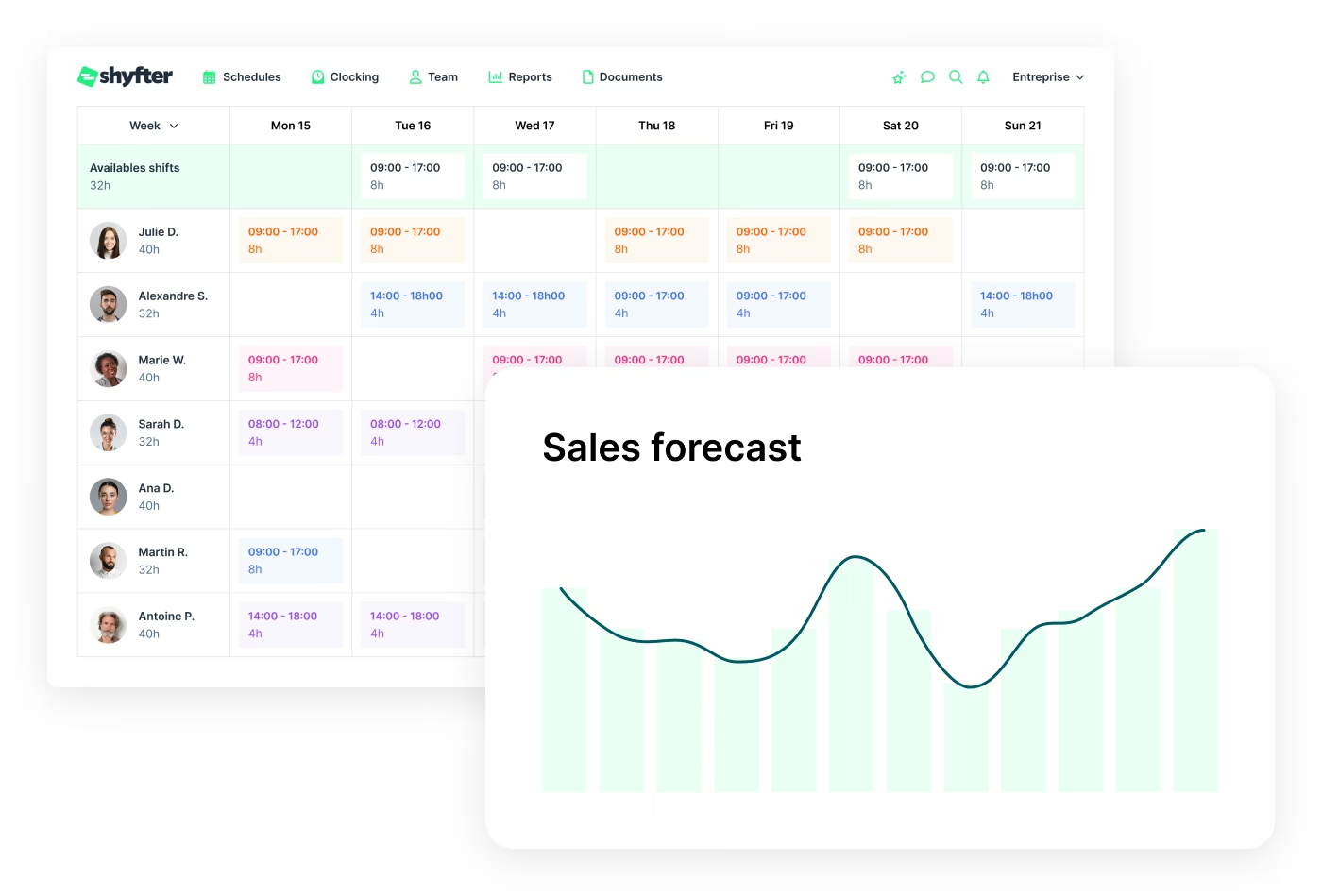
A strategic dashboard to drive your performance
A true strategic management tool, built to optimize your daily operations and boost profitability.
Revenue forecasting and productivity calculations
Detailed tracking of employee activity
Legal compliance
Industries
A solution that adapts to your industry
A workforce management solution designed to adapt to your industry's needs. Manage your teams, schedules, and legal obligations with ease.

They use Shyfter every day
Real-world examples of businesses managing their teams more easily.

.jpeg)
At SOON, Shyfter is part of our daily fuel
Opening in the spring of 2026 on Avenue Louise, SOON quickly established itself as Brussels' new daily fuel station.


FLIPPER's: The Recipe for a Busy Schedule
Basile and Julien tell us how Shyfter helps them manage their team day-to-day and stay focused on what matters: the quality of the food.

.jpeg)
Panam Kebab keeps its schedules spinning like its rotisseries
Sébastien, founder of Panam Kebab, explains how Shyfter helps him manage his team daily and focus on what truly matters: quality on the plate.

.jpeg)
Le Volle Gas goes all out with Shyfter
Ludovic Chevalier, one of the two partners at Nonante Folies, tells us how Shyfter has simplified their lives when it comes to team management in their restaurants.


“BaraBar”, the reference
Miguel Carvalho has been using Shyfter for some time now and tells us about its features and how he uses Shyfter on a daily basis.


WIK Karting Sets Up Schedules at Full Speed
Marie Mignolet, Events Manager and Assistant Director at WIK, explains how Shyfter has made their scheduling process smoother and more efficient.
Your questions, answered
Find quick answers to the most common questions.
Can I use Shyfter reports to prepare payroll?
Yes. Shyfter reports centralize hours worked, absences, and overtime to facilitate payroll preparation. Data can be exported and sent to your payroll provider or payroll software, simplifying salary processing.
Can Shyfter reports be used for audits or internal controls?
Yes. Time and workforce management reports allow you to analyze working hours, schedule variances, and time tracking history. They serve as reliable support for internal audits and administrative controls.
Who can access reports within the company?
Report access is defined by user roles and permissions. Only authorized individuals, such as managers or HR, can view or export data, ensuring information confidentiality.
Is report data reliable and consistent with actual time entries?
Yes. Reports are directly based on recorded time entries, the staff schedule, and validated absences. This centralization ensures consistency between declared hours and the data used.
Are reports updated in real time?
Yes. Shyfter reports are updated in real time based on time entries, schedule changes, and recorded absences. You always have an up-to-date view of your working time management.

Ready to transform your workforce management?
Shyfter is more than a scheduling tool. It's a complete workforce management solution designed to save you time.