

Employee Availability Form: Template and How to Keep It Current

Last updated:
11/9/2026
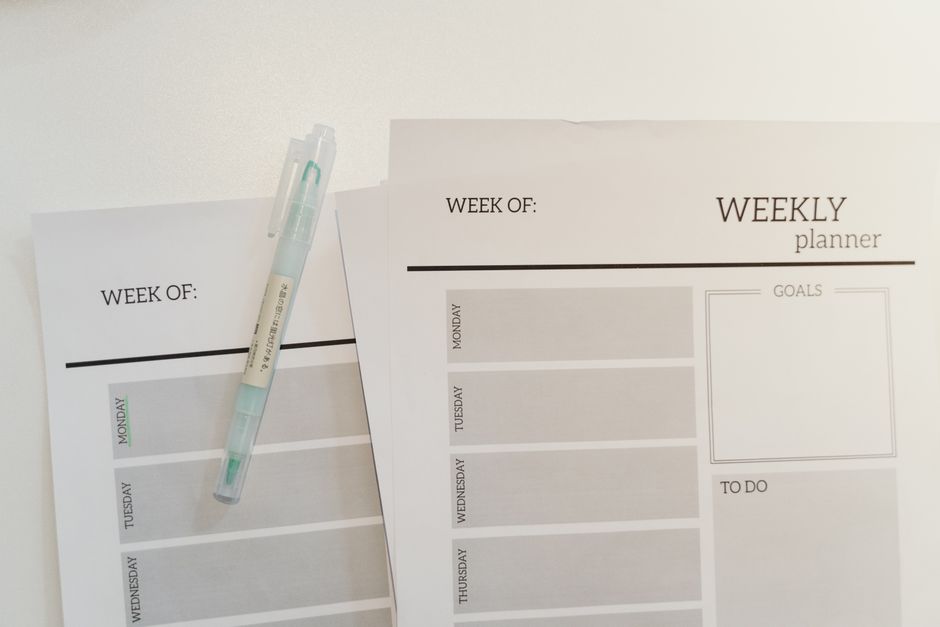
> TL;DR: An employee availability form records the standing limits on when someone can work, before you build the schedule. This article gives you a blank form to copy, a filled example, the legal rules that sit underneath it in Oregon and Seattle, and the refresh cadence that keeps it from going stale by November.
Your assistant manager builds next week’s roster on Tuesday afternoon. By Thursday, four people have texted: one started evening classes, one picked up a second job at a warehouse, one can only work mornings until his car comes back from the garage. The schedule is already wrong, and none of it was written down anywhere.
That is the gap an employee availability form fills. Not a nice-to-have piece of paperwork. The one document that decides whether your schedule survives contact with reality.
What an employee availability form actually captures
An employee availability form is a standing declaration. It says: here are the hours, across a normal week, when this person can be scheduled, and here are the windows where they cannot. It is written once, at hire, and refreshed on a fixed cadence.
That makes it a different object from the two documents managers confuse it with. A time off request is a one-off, tied to a date. A shift swap happens after the schedule is published, when the assignment already exists. The availability form sits upstream of both, and if it is wrong, the other two explode in volume.
| Document | When it is filled in | What it covers | Who approves |
| Availability form | At hire, then on a fixed refresh cycle | Standing limits across a normal week | No approval to submit; manager validates feasibility |
| Time off request | Before the schedule is built, ad hoc | One date or a block of dates | Manager approves or refuses |
| Shift swap request | After the schedule is published | One already assigned shift | Manager approves, both employees confirm |
Worth remembering: a manager drowning in swap requests usually does not have a swap problem. They have an availability problem that surfaces three weeks later, in a more expensive form. We wrote the rules for the downstream case in our guide to the shift swap policy, but the cheapest fix is always further upstream.
Why do managers rebuild the same schedule three times?
Because availability moves, and nobody tracks the movement.
The US Bureau of Labor Statistics put multiple jobholders at 5.2% of total employment in August 2026. In hospitality and retail the share sits well above that, and a second job is the single most common reason a person’s availability changes without anyone telling the manager. Add students, carers, and anyone on a rolling college timetable, and a form written in September is partly fiction by January.
Take a 34-seat bistro in Portland, Oregon that we looked at with the owner last spring. Fourteen people on the books, nine of them students or second-jobbers. The owner was rebuilding the weekly schedule an average of three times before publication, roughly two and a half hours of her week, every week. The forms existed. They were in a lever arch file, filled in at hire, and four of them predated the current academic year.
At Shyfter, this is the pattern we see most often: the form is not missing, the form is old. An availability form that nobody is required to refresh decays into a hiring record.
Here is the part that costs real money. When availability is unknown, managers schedule the people they are sure about. The same three reliable names absorb the awkward shifts, burn out, and leave; the quieter half of the team gets under-scheduled and drifts off to somewhere that gives them hours. You do not see that in a scheduling report. You see it in turnover.
The employee availability form you can copy
Two parts. A header block that gets filled in once, and a weekly grid that is the actual working document.
Header block
| Field | Entry |
| Employee name | |
| Role or station | |
| Effective from (date) | |
| Contract hours per week | |
| Maximum hours wanted per week | |
| Second job, studies, or caring duties? | |
| Notice needed to accept an extra shift | |
| Best number for last minute contact | |
| Next review date |
Weekly availability grid
| Day | Earliest start | Latest finish | Unavailable window | Happy to be scheduled? | Max hours that day |
| Monday | |||||
| Tuesday | |||||
| Wednesday | |||||
| Thursday | |||||
| Friday | |||||
| Saturday | |||||
| Sunday |
Filled in, for a floor and bar employee on a 24-hour contract, effective 5 October 2026, it looks like this.
| Day | Earliest start | Latest finish | Unavailable window | Happy to be scheduled? | Max hours that day |
| Monday | 17:00 | 23:30 | Before 17:00, evening class | Yes | 6 |
| Tuesday | 17:00 | 23:30 | Before 17:00, evening class | Yes | 6 |
| Wednesday | n/a | n/a | All day | No | 0 |
| Thursday | 11:00 | 23:30 | None | Yes | 8 |
| Friday | 11:00 | 01:00 | None | Yes | 9 |
| Saturday | 09:00 | 01:00 | None | Yes | 10 |
| Sunday | 09:00 | 18:00 | After 18:00 | Only if asked in advance | 8 |
Declared maximum across the week: 47 hours, against a 24-hour contract. That total is the least useful number on the page, and it is the one most managers look at first.
The useful number is coverage against your demand curve. Run it like this. Friday dinner service, 18:00 to 22:00, you need five people on the floor. Go through all fourteen forms and count how many show an earliest start at or before 18:00 and a latest finish at or after 22:00 on Friday. Seven of fourteen, you have slack and you can protect people’s days off. Four of fourteen, you do not have a scheduling problem; you have a structural hole, and no amount of clever rota building closes it. You just found your December staffing crisis in October, which is the whole point of the exercise.
Do the same count for your three worst windows: Friday and Saturday evening, Sunday lunch, and whatever your own peak is. Three numbers. Ten minutes. It will tell you more than any report.
One field earns its place and often gets cut: the unavailable window in plain words. Recording that Monday before 17:00 is blocked by a class, rather than just leaving the cell empty, is what lets a manager ask the right question in January when the timetable changes.
What does the law actually require on employee availability?
Federally, almost nothing. The Fair Labor Standards Act governs wages and hours worked; it does not oblige an employer to collect availability or to schedule around it. Which is exactly why the local rules matter so much.
Oregon runs the broadest statewide version. The predictive scheduling law covers employers with at least 500 employees worldwide in retail, hospitality and food services. It requires a written good faith estimate at hire stating the median number of hours the employee is expected to work in an average month, a written schedule posted at least 14 calendar days before the first day on it, and a rest rule: an employee cannot be scheduled during the first 10 hours following the end of a previous shift unless they request or agree to it, and back-to-back shifts inside that window are paid at time and a half.
The provision that matters most here is the one about availability itself. Oregon’s Bureau of Labor and Industries states that at time of hire and during employment, an employee may identify any limitations or changes in work schedule availability, including child care needs, and may also request not to be scheduled for work shifts during certain times or at certain work locations. The right exists whether or not you have a form. A form is simply how you prove you honoured it.
Seattle’s Secure Scheduling Ordinance, in force since 1 July 2017, lands in the same place from a different angle. It applies to hourly employees at retail and food services establishments with 500 or more employees worldwide, with full-service restaurants additionally needing 40 or more locations globally. It requires the written good faith estimate of median hours at hire and annually, schedules posted 14 days ahead, time and a half where a closing and an opening shift are separated by less than 10 hours, and an interactive process when an employee requests a change tied to a major life event. Records have to be kept for three years.
Three years of records. That is the sentence to sit with. If your availability declarations live in a lever arch file or in a manager’s text messages, you cannot produce them on request, and the assumption in an investigation will not run in your favour.
How do you get the form filled in and kept current?
Making people fill it in once is easy. Keeping it true is the whole job.
Three rules do most of the work:
- Fix the refresh dates in advance. Two scheduled refreshes a year, timed to your own seasonality rather than to the calendar. Hospitality and retail usually want one in late August, before the academic year, and one in January.
- Open a change window, not an open door. Changes accepted at any time, applied from the next unpublished schedule. Nobody gets to change their availability for a roster that is already out, and nobody has to wait six months to declare a new constraint.
- Refuse a form with an empty grid. An all-blank availability sheet is not full availability, it is a person who did not read it. Send it back.
In practice, the refresh is where paper dies. A Brussels catering company we work with runs about 60 casuals across events; their availability changed weekly by nature of the work, and the twice-yearly form was meaningless for them. They moved availability into the app and kept the written form only for the permanent kitchen team. Sensible split. The form is right for stable contracts and wrong for genuinely variable workforces, and pretending otherwise is how managers end up maintaining two systems that disagree.
Another point that gets missed: tell people what happens to the information. An availability form asking about caring duties and second jobs collects sensitive detail. Say plainly who sees it, how long you keep it, and that declaring a constraint will not quietly cost someone hours. If people suspect that being honest gets them fewer shifts, they will hand you a grid full of yes, and you are back where you started.
When the form stops being a form
Paper works up to a point. That point arrives somewhere around fifteen people, or earlier if a decent share of them are students or casuals.
Past it, the form should not be a document at all; it should be a live field on each person’s profile, visible at the moment the schedule is built. In Shyfter’s staff scheduling, availability sits directly in the planning screen, so assigning someone outside their declared window raises a flag as you drag the shift, not on Thursday when they tell you. Employees update their own availability from the employee app, which is the only refresh mechanism we have seen hold up over a full year, because it removes the manager from the loop entirely.
Declared availability and actual absence are two separate signals, and it helps to keep them apart. Availability is the plan; managing absences and unavailability is what happens when the plan breaks. Once both feed the same schedule, the availability count we described earlier stops being a ten-minute manual exercise and becomes a number you can read off before you start.
And once you have accurate availability, the schedule itself gets faster to build. If you want a starting grid to drop it into, our employee shift schedule template covers picking the right pattern before you fill anything in.
Want to see availability, absences and the schedule in one screen instead of three? Book a free demo and bring your worst week; that is the one worth testing.
Frequently asked questions
How often should an employee availability form be updated?
Twice a year as a baseline, plus an open change window for anything that shifts in between. Set the two refresh dates around your own season rather than around the calendar year: in hospitality and retail, late August and January catch the academic timetable and the post-holiday reshuffle. Changes submitted mid-cycle should apply from the next unpublished schedule, never to a roster that is already live.
Can an employer refuse the availability an employee declares?
An employer can decline to schedule someone whose declared availability no longer matches the role, but that is a contract conversation, not a scheduling one. In Oregon, employees have an explicit right to identify limitations on their availability and to request not to be scheduled at certain times or locations, and penalising someone for exercising it is the risk you want to avoid. In practice the honest move is to compare the declaration against the hours in the contract and talk it through before the next schedule is built.
What is the difference between an availability form and a time off request?
The availability form is a standing rule across a normal week; a time off request is a one-off tied to a specific date. Availability tells you that someone can never start before 17:00 on a Monday. A time off request tells you they need the second week of April. You need both, and keeping them in separate documents is what stops a single holiday from being recorded as a permanent constraint.
Does an employee availability form need to be signed?
No federal rule requires a signature, but getting one is worth the thirty seconds. A dated signature turns the grid into evidence that the employee declared those limits on that date, which matters if a scheduling dispute comes up later. Seattle employers under the Secure Scheduling Ordinance have to keep scheduling records for three years, so a signed and dated form is simply the easiest way to hold up your end.