

The recruitment software that sends new hires straight into your schedule
Post your job offers, receive applications, run your interviews. The day you hire someone, their account is created and they appear in your schedule. Nothing to retype.
Request a demo3,500+ companies and 400,000+ employees already use Shyfter










A recruitment tool built into your schedule: post, sort, hire
Same teams, same locations, same access rights. Nothing to install, nothing to sync.
Post your job offers
A careers page in your brand colors, with a link and a QR code for each offer. Your job ads are online in minutes.
Track every candidate
Your applications in columns, one per stage. Move them forward in one gesture, and schedule interviews and trial shifts.
Hire without retyping
When you hire a candidate, their Shyfter account is created with their details already filled in. Your new hire gets their login and joins the schedule the same day.
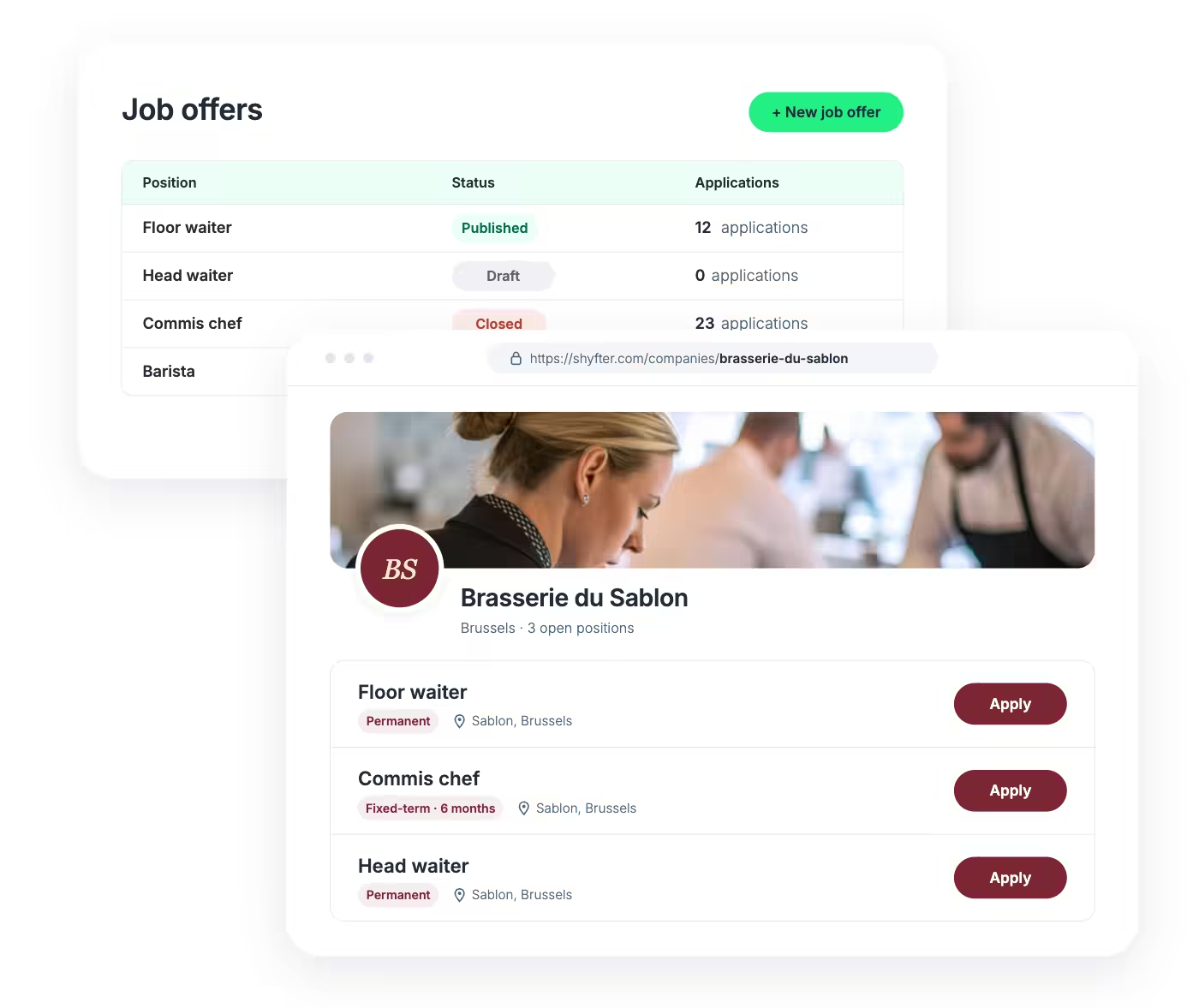
Create your careers page and post job offers, no developer needed
Shyfter publishes a company page for you at your public address, with your logo, your colors and all your open positions. Nothing to host, nothing to code.
 One page per offer, with a link to share on social media or WhatsApp
- The status of each job ad and its applications at a glance
- Your branding everywhere, from the company page to the application form
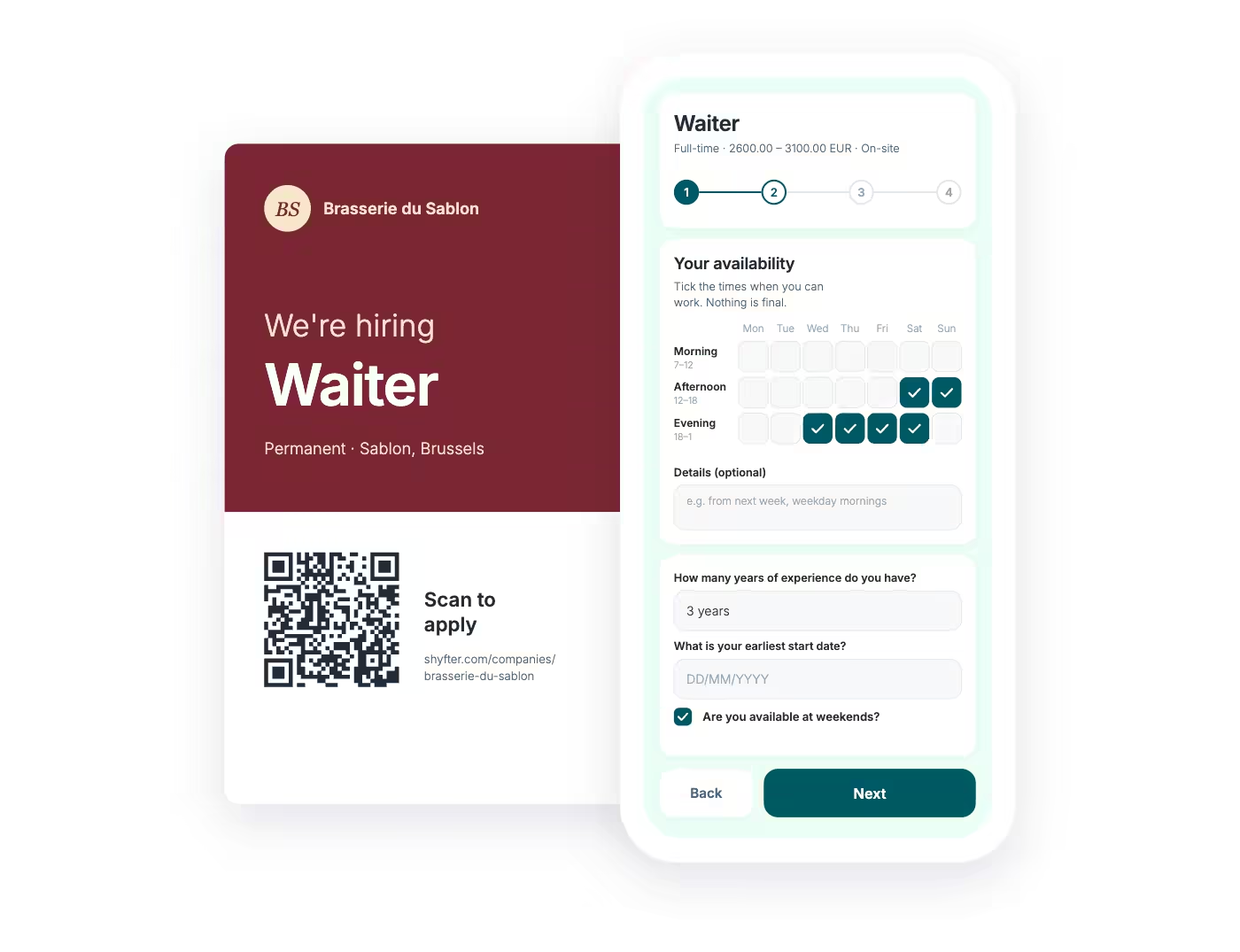
Mobile applications and QR codes: recruit in your shop window and online
In hospitality and retail, the best candidates often walk right past your door. A QR code for each offer, on the window, the counter or a flyer, and the candidate applies in minutes.
- A four step form designed to be filled in on a phone
- A QR code generated for each offer, ready to print
- A form you customize to your needs
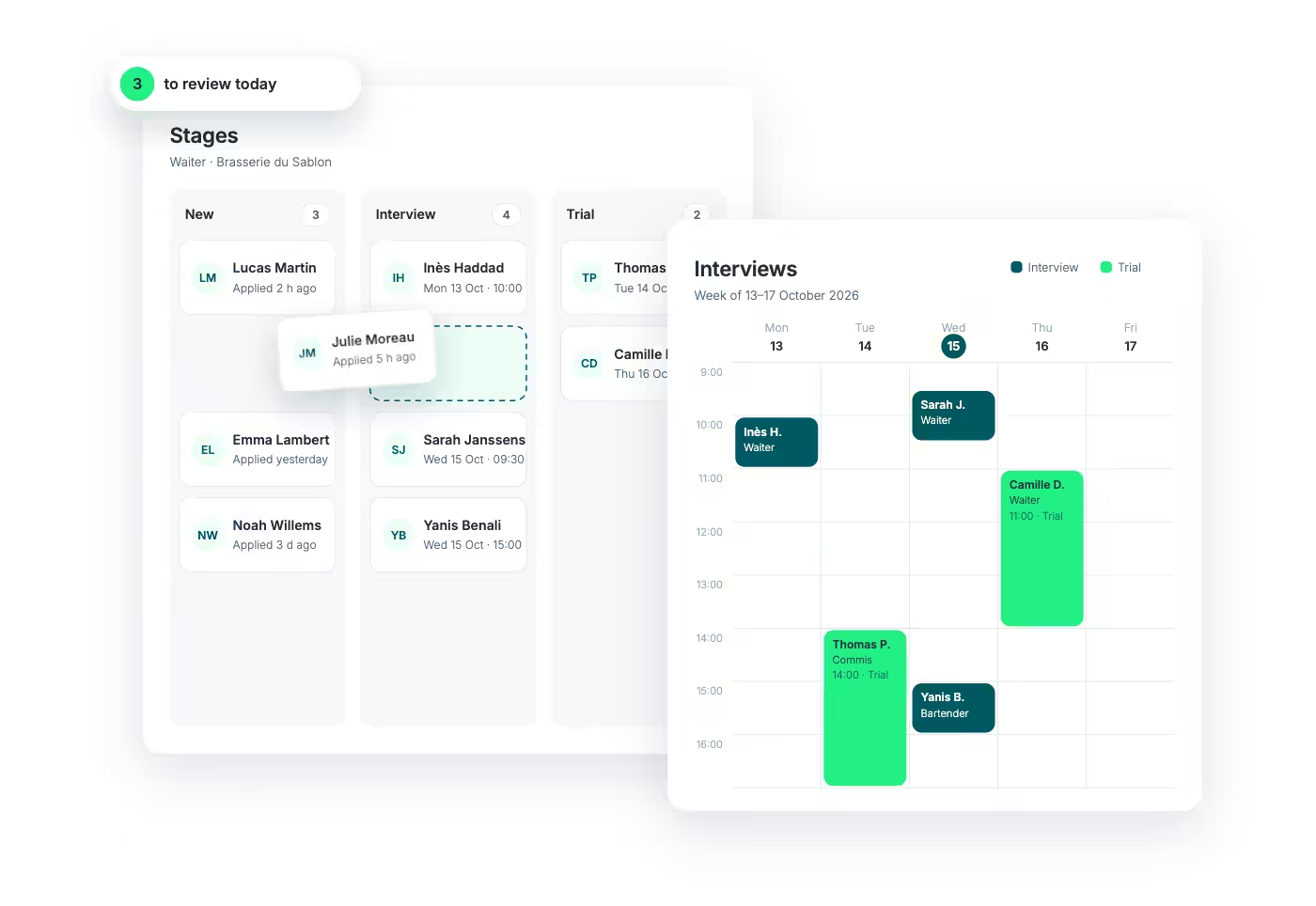
Applicant tracking: every candidate in their place, every interview in the calendar
No more resumes lost in an inbox or interviews scribbled on a napkin. Your candidates move from column to column, and all your interviews and trial shifts sit in a single calendar.
- Stages you define: screening, interview, trial shift, decision
- A dashboard that shows what needs your attention today
- The full list of your candidates, with search and filters
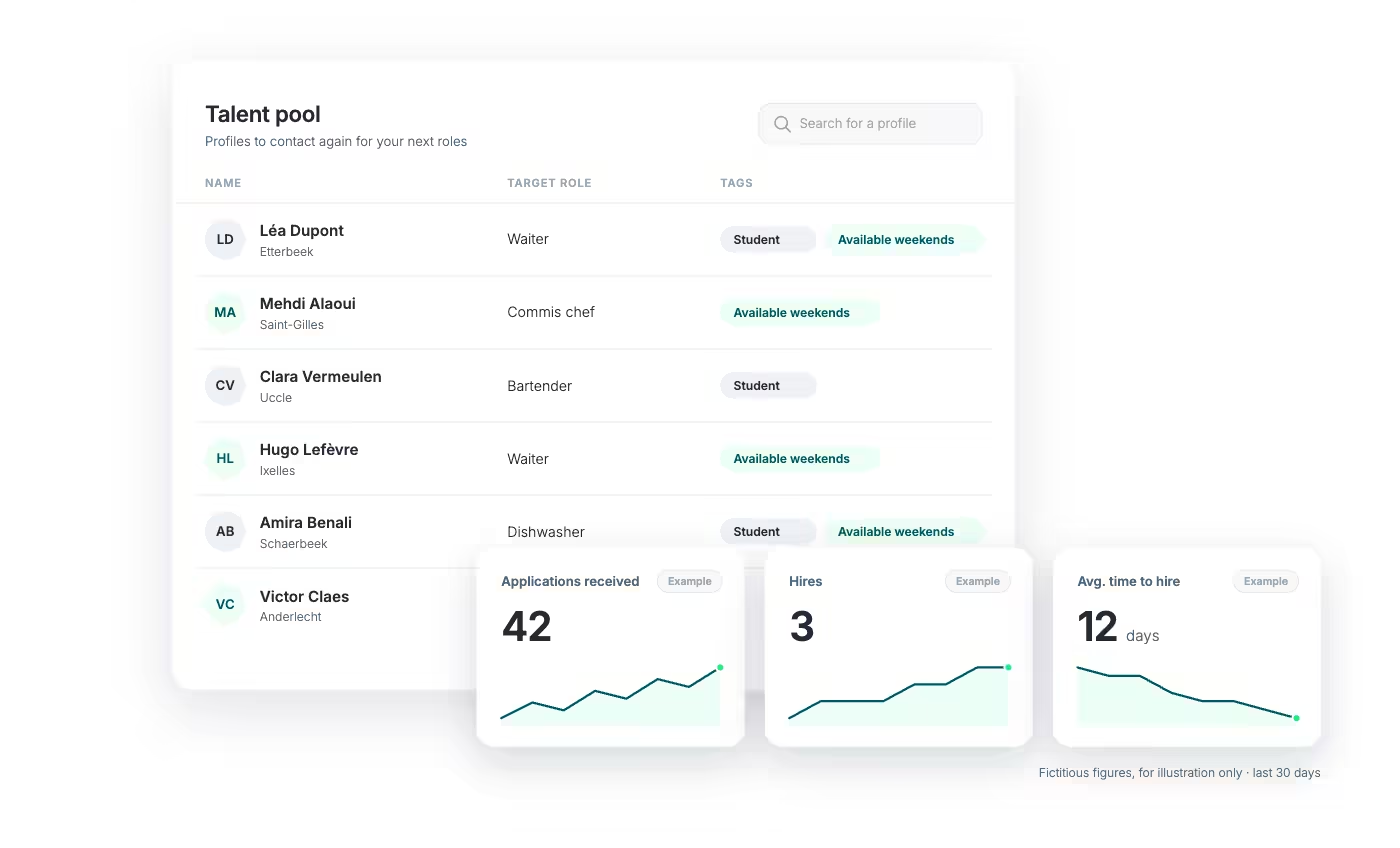
Talent pool: the candidate you turn down today is your next hire
No opening this time? Keep good candidates close. At the next busy season or the next departure, your talent pool is ready. And your analytics show what works.
- A talent pool for candidates you did not hire but want to contact again
- Applications received, hires and time to hire over the period of your choice
- Candidate data handled with their consent
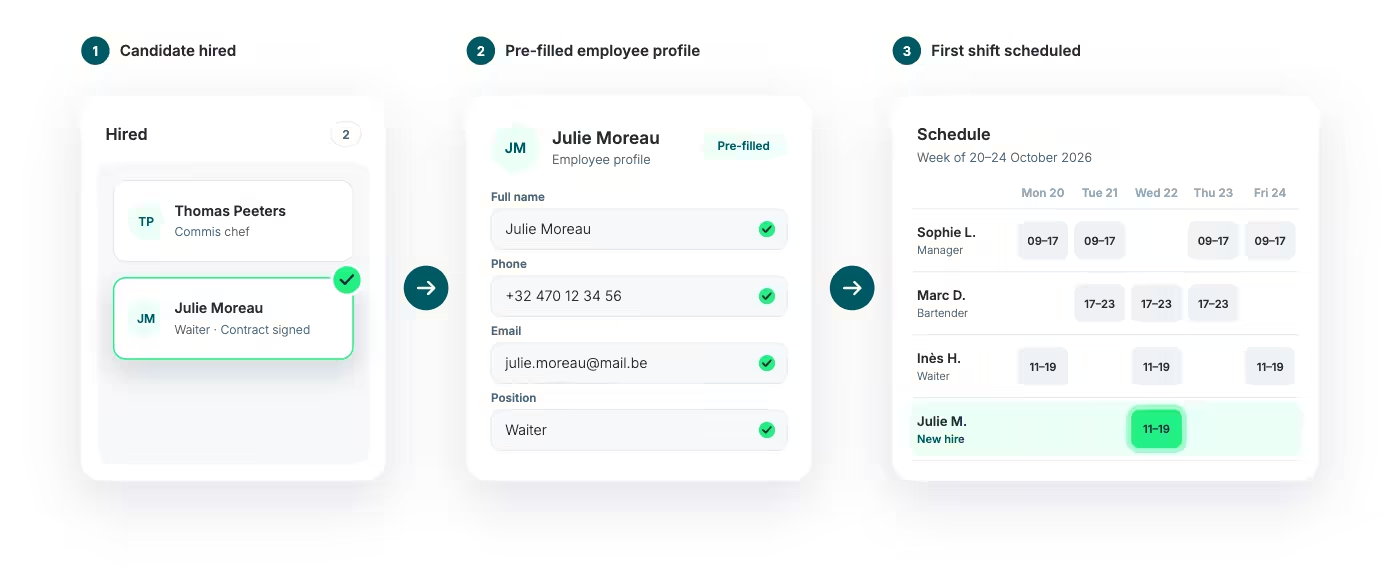
From hiring to scheduling: hired in the morning, scheduled in the afternoon
This is what sets Shyfter apart from a standard ATS. When you hire a candidate, Shyfter creates their account in your team with the details they already provided, and emails them their login. They appear in your schedule the same day.
- No retyping between the application and the employee record
- Login details emailed automatically to your new hire
- Available in the schedule from the day they are hired
Related features
- Centralized Team ManagementManage your teams from a single platform: employees, roles, contracts, availability.
- HR Contracts and DocumentsCentralize, sign, and manage all your HR contracts and documents in one place.
- Employee AppShyfter Staff: the mobile app to check schedules, clock hours, manage leave, and access documents.
- Staff Scheduling SoftwareOptimize your staff scheduling.
A solution that adapts to your industry
A workforce management solution built to fit your industry's needs. Manage your teams, schedules, and legal obligations with ease.

They use Shyfter every day
Real examples of companies managing their teams more simply.










Your questions, answered
What is recruitment software?
It is a tool that brings your job offers, applications and interviews together in one place, also called an ATS. With Shyfter, it is directly connected to your team management and your schedule.
Do I need to install another tool on top of Shyfter?
No. The Recruitment module is built into your account: same teams, same locations, same access rights. Nothing to install or sync.
How does a candidate apply?
From the offer page, through its shareable link, your company page or the QR code displayed in your venue. The form has four steps and is filled in directly on a phone.
What happens when I hire a candidate?
Shyfter creates their account in your team with the details they already provided and emails them their login. They appear in your schedule the same day.
I manage several locations. How does it work?
The module follows the structure of your account. Your offers, candidates and access rights follow your locations and each manager's permissions.
Your next hire may already be standing outside your window
See in 20 minutes how Shyfter takes you from job ad to first shift.